DesignFREE COUPON
Exploring Autodesk Revit for Structure: BIM Tutorials
Rating
-
Description
- Why take this course?
- Unlock the power of structural modeling with our comprehensive course, “Exploring Autodesk Revit for Structure: BIM Tutorials.” This course is designed to provide you with in-depth knowledge and practical skills in using Revit for structural projects through the Building Information Modeling (BIM) workflow.
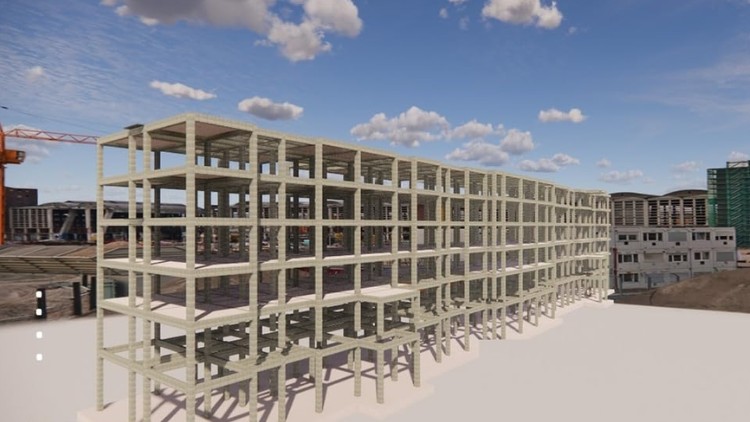
- Throughout the course, you will engage in two hands-on projects—one focusing on a commercial building and the other on an industrial facility. This dual-project approach ensures you gain diverse experience in structural modeling across various settings.
What You'll Learn
- Structural Modeling in Revit: Master the fundamentals of creating detailed structural models in Revit, including the use of beams, columns, and other structural elements in compliance with BIM practices.
- BIM Workflow Concepts: Understand the essential concepts of BIM workflows and how they apply to structural modeling, ensuring effective collaboration in multidisciplinary teams.
- Robo Structural Analysis: Learn to integrate and perform structural analysis using Robo Structural Analysis, enabling you to assess and validate your designs for safety and performance.
- Documentation: Discover best practices for generating accurate documentation and construction drawings directly from your Revit models, streamlining the documentation process.
- Family Creation: Gain expertise in creating custom families in Revit tailored to your project needs, enhancing your models with specialized structural components.
- Whether you are a student, recent graduate, or professional looking to expand your skill set, this course provides all the tools and knowledge necessary to excel in structural modeling using Autodesk Revit. Join us to elevate your BIM capabilities and take your career to the next level!
- Course Features:
- Real-World BIM Projects: Apply your learning on real-world BIM projects, ensuring practical, hands-on experience.
- By mastering these tutorials, you position yourself for roles such as:
- BIM Coordinator: Managing the flow of information between architects and contractors.
- Structural Revit Technician: Specializing in high-detail concrete and steel modeling.
- Virtual
Requirements
- Don’t expect to jump into this if you’ve never seen a set of blue prints. While the course is marketed from beginner to advanced, a baseline understanding of structural principles is vital. You don’t need to be a licensed P.
- E., but you should understand the basic logic of load paths and material properties. From a technical standpoint, you’ll need a machine that doesn’t choke on Revit—ideally something with decent RAM and a dedicated GPU. If you have a basic grasp of 2D AutoCAD, the transition will be smoother, but the course does a fair job of holding your hand through the initial “ribbon-shock” of the Revit interface.
Important Notes
Once you start the course for free, it stays in your account forever. You keep lifetime access.
Free access is time-limited. If a course is no longer free when you reach it, please check back later. The catalogue updates regularly.
Get this course for free
We are preparing your free access. The button appears in a few seconds.
Preparing your course link...
Please wait 10s…